
Stronghold 4 Discord: Where to Find the Official Server
Quick answer
The official Stronghold 4 Discord is opened through the "Join the Discord" button on Firefly Studios' official Stronghold 4 website and through the Discord links in the studio's own Steam announcement posts — neither page prints the raw invite URL as text, so those buttons are the reliable way in. The studio's Steam page for Stronghold 4 carries the announcements that reference the server.
| Official Discord access point | "Join the Discord" button on stronghold4.comStronghold 4 official website |
|---|---|
| Developer feedback invitation | Firefly's July 22, 2026 Q&A: use the demo feedback form or join the Stronghold Discord communityStronghold 4 on Steam |
| Launch date | December 7, 2026 (early access, Windows)Stronghold 4 on Steam |
Find and join the official Stronghold 4 Discord server to discuss the demo, give feedback to Firefly Studios and follow the game's early access launch.
Table of Contents
The official Stronghold 4 Discord is opened through the "Join the Discord" button on Firefly Studios' official Stronghold 4 website and through the Discord links in the studio's own Steam announcement posts — neither page prints the raw invite URL as text, so those buttons are the reliable way in. The studio's Steam page for Stronghold 4 carries the announcements that reference the server.
How to join
Open the official website
Go to stronghold4.com. Firefly's news posts for the announcement trailer, the demo launch and the story trailer each end with a "Join the Discord" line paired with a Discord icon — clicking it takes you to the server invite.
Or use a Steam announcement
On the official Steam page, open the news section. The "Stronghold 4 Q&A – Your Pressing Questions Answered!" post from July 22, 2026 says: if you want to give feedback, use the feedback form in the demo or "join our bustling Stronghold discord community". Discord references in those posts link to the same server.
Accept the invite and verify
Sign in to Discord, accept the server invite and read the welcome rules. Server layout and channel names are not documented in any public Firefly post, so expect to find your way around from the welcome screen.
What the server is for
Firefly uses the community for feedback while the game is in active development. The July 2026 Q&A post explicitly names the Discord alongside the in-demo feedback form as the two channels for player thoughts.
The June 2026 demo announcement likewise stresses that making the game "is only possible with the support and feedback of the players". With the free demo already live on Steam (Free Build plus Skirmish Mode since October 19, 2026) and early access launching on December 7, 2026, discussion of demo balance, siegecraft and castle customization is the obvious first use.
FAQ
Is there a direct discord.gg link?
The material available here (the official site and Steam posts) embeds the invite behind "Join the Discord" buttons rather than printing the URL, so no direct link can be quoted. Those buttons open the official invite.
Can I give feedback about the demo there?
Yes. Firefly's July 22, 2026 Q&A names the Stronghold Discord community, together with the feedback form built into the demo, as the place to send your thoughts.
Is the Discord the only feedback channel?
No — the demo itself contains a feedback form, which Firefly has asked players to complete in both the June and July 2026 announcements.
Check note: the access points and feedback invitations above come from the official stronghold4.com website and the official Stronghold 4 Steam page, both checked on 2026-11-02. The server's internal channel layout and its direct invite URL remain unconfirmed, as no source documents them.
Related guides for this game
Community Guides Index
Stronghold 4 Mods: Where to Find and Install Them
Stronghold 4 mods: no uploaded mod files yet, but ReShade graphics tweaks work on the demo. See where mods will appear and how to change the look today.
Release Guides Index
Stronghold 4 Trailer: Where to Watch Every Official Video
Find every official Stronghold 4 trailer on Firefly's channels and Steam, and learn what the announcement, story and features videos actually reveal.
Modes Guides Index
Stronghold 4 Economic vs Military: How the Modes Differ
Stronghold 4 economic vs military missions explained: what is actually confirmed for launch and demo, and which mode fits your playstyle first.
Reviews Guides Index
Stronghold 4 review verdict: worth playing the demo?
Stronghold 4 review impressions praise the siege sandbox and atmosphere but flag AI, wall placement and performance; try the free demo before Early Access.
Compatibility Guides Index
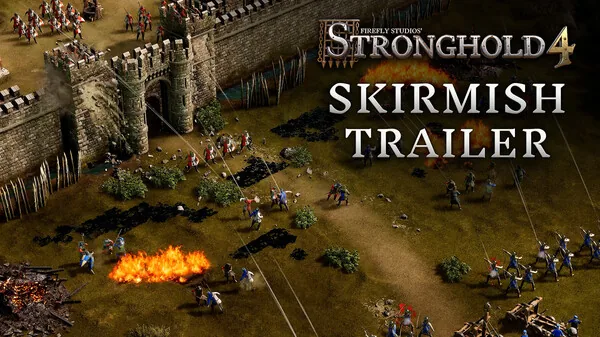
Stronghold 4 Combat System: How Battles Work (2026)
The Stronghold 4 combat system explained: army composition, towers, moats, traps, siege weapons and weather, so you can defend your castle and win sieges.
Can You Play Stronghold 4 Mac Versions?
Find out if Stronghold 4 mac support exists, what platforms Firefly Studios lists on Steam, and whether compatibility layers or native builds are planned.