
Stronghold 4 How to Rotate Buildings: Exact Controls
Quick answer
Hold Shift and use the mouse wheel while the building is selected for placement — scrolling rotates it before you click to build. This is the confirmed shortcut, reported both in Steam community discussion and by GameWatcher's building tips guide, and it is one of the first tricks worth learning when fitting production buildings and defenses into a compact settlement.
| Rotate control | Hold Shift and scroll the mouse wheel while the building is selected for placementStronghold 4 Building Tips: How to Rotate Buildings and Plan Your Castle |
|---|---|
| On-screen hint | The game shows the rotate instruction at the bottom middle of the screen when a building is selectedHow to rotated buildings? - Stronghold 4 General Discussions |
| Touchpad workaround | Shift plus a two-finger scroll gesture may work on laptop touchpads (player suggestion)How to rotated buildings? - Stronghold 4 General Discussions |
| Release status | Coming soon on Steam, dated December 7, 2026; demo with Free Build and Skirmish mode availableStronghold 4 on Steam |
Learn how to rotate buildings in Stronghold 4 before placing them with the Shift and mouse wheel combo, plus touchpad tips and demo limits.
Table of Contents
Hold Shift and use the mouse wheel while the building is selected for placement — scrolling rotates it before you click to build. This is the confirmed shortcut, reported both in Steam community discussion and by GameWatcher's building tips guide, and it is one of the first tricks worth learning when fitting production buildings and defenses into a compact settlement.
Rotating a building step by step
Pick the building you want to place
Select a structure from the build menu so its ghost preview follows your cursor. Multiple players on the Steam forums report this is where the rotation control applies.
Hold Shift and scroll
With the preview active, hold Shift and roll the mouse wheel. The structure turns before placement, letting you choose the orientation that best fits your layout. One player in the discussion notes scrolling with the third mouse button.
Check the on-screen hint
The game itself tells you what to do: when you select something, an instruction appears at the bottom middle of the screen. Players say it is easy to miss — one only learned the combo by accident in the first mission.
Place and verify
Click to place the building. It should sit in the rotated orientation, with entrances and sides facing where you want them.
Rotation matters most when space is tight: neatly angled production buildings, houses and walls avoid the awkward gaps that a tightly packed settlement otherwise develops.
If rotation is not working
- On a laptop without a mouse wheel, a Steam forum member suggests Shift plus a two-finger scroll up or down on the touchpad as a possible workaround — this is unconfirmed.
- Walls use a grid-based system rather than free-angle placement, so wall orientation follows the grid rather than the rotate control.
Stronghold 4 is still upcoming on the official Steam page, dated December 7, 2026, with a public demo featuring Free Build and Skirmish mode — a good sandbox for practicing rotations before the full launch.
FAQ
Stronghold 4 how to rotate buildings — is the control the same everywhere?
Players report the same Shift plus mouse wheel combo works whenever a building is selected for placement, including during the economic mission where the game shows a hint for it at the bottom of the screen.
How do I rotate buildings on a touchpad?
The only suggestion on record comes from a player in the Steam discussion: hold Shift and use a two-finger scroll gesture up or down. No developer confirmation exists for this.
Why won't my walls rotate?
Community reports describe Stronghold 4 as grid-based for walls rather than free-angle, so wall segments snap to grid directions instead of rotating smoothly. Some players still prefer this to Stronghold 3's long-wall-only system.
Does the rotate control work in the demo?
The reports above come from the public demo period, and the shortcut applies while placing buildings in it, including the updated Free Build and Skirmish modes on the official Steam page.
Checked 2026-11-02 against the official Steam store page, the Steam General Discussions thread on rotating buildings and the GameWatcher rotation guide. The touchpad gesture workaround and exact final-release controls remain unconfirmed; controls may change before launch.
Related guides for this game
Guide Guides Index
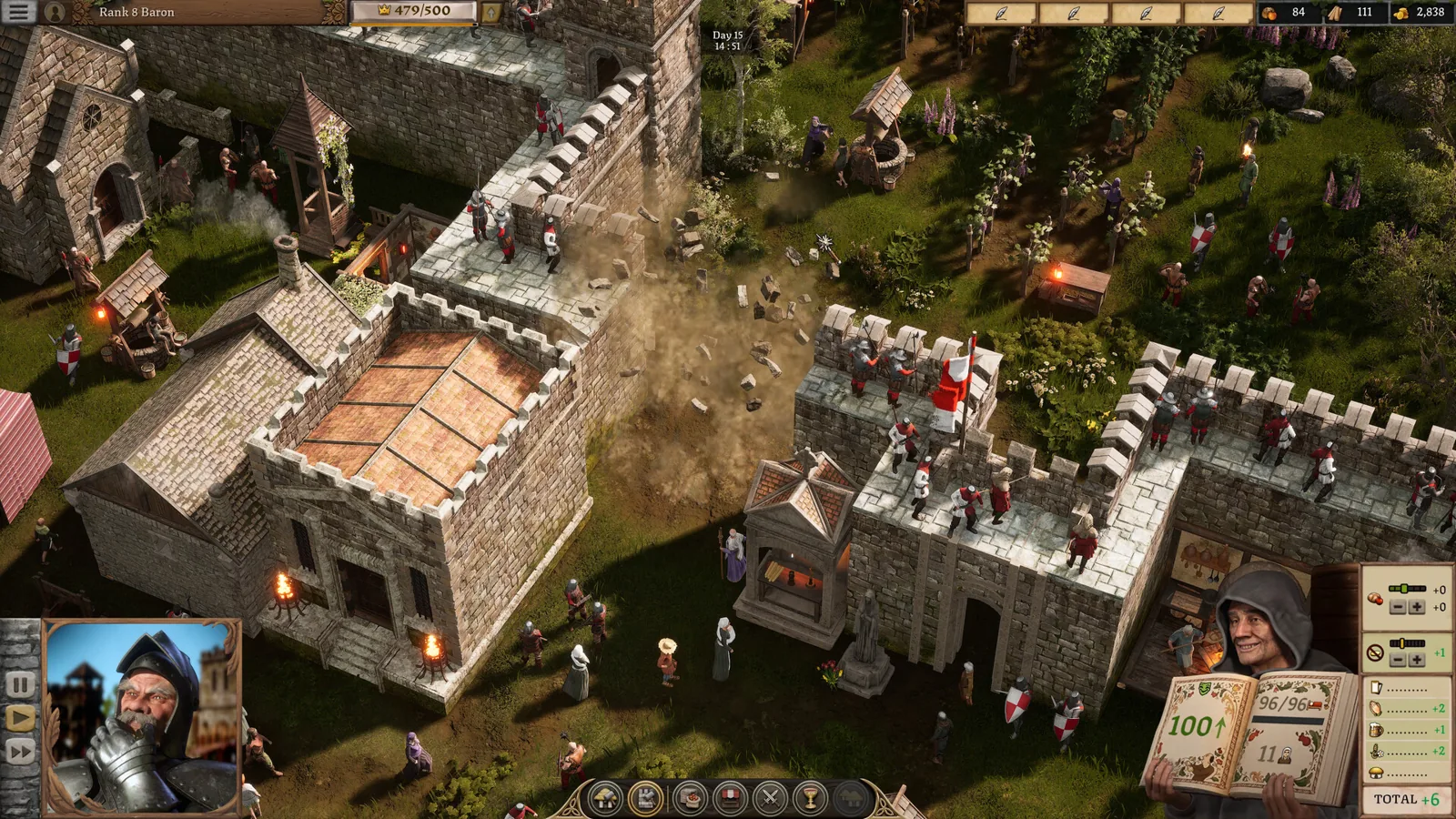
Stronghold 4 Buildings List: Types and What Each Does
Every confirmed Stronghold 4 buildings type from the demo, grouped by function, so you can plan an economy, house peasants and ring your keep with defenses.
Stronghold 4 How to Close Gate – What Works Today
Learn how to close the gate in Stronghold 4 to control enemy access to the castle, and what the current demo does and does not confirm about gate controls.
Stronghold 4 How to Light Pitch: Fix Ignition Issues
Stronghold 4 how to light pitch: why flaming arrows fail to ignite pitch in the demo and the workarounds players use during a siege defense.
Stronghold 4 Beginner Guide: First Steps and Demo Start
This Stronghold 4 beginner guide walks new players through the free demo, first economy buildings, taxes, defense basics and the modes worth learning first.
Compatibility Guides Index
Stronghold 4 Combat System: How Battles Work (2026)
The Stronghold 4 combat system explained: army composition, towers, moats, traps, siege weapons and weather, so you can defend your castle and win sieges.
Economy Guides Index
Stronghold 4 How to Get Gold: Taxes and Market Sales
Learn Stronghold 4 how to get gold by taxing your peasants and selling surplus goods at the market, with tips from the demo build.